

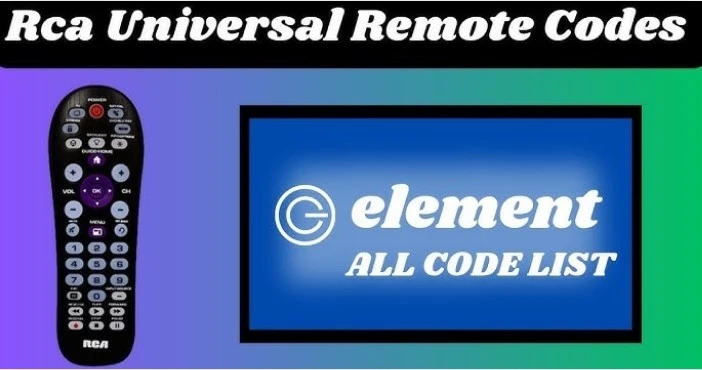
When you buy an RCA Universal Remote, you must first program it to work with your TV, DVD player, soundbar, or other devices. The process of setting up your RCA Universal Remote is fairly straightforward, but it does require entering the correct setup codes for each device you want to control.
In this article, we’ll guide you through the process of programming your RCA Universal Remote using setup codes and provide some helpful tips to make the setup process as easy as possible.
What is an RCA universal remote?
An RCA Universal Remote is a handy device that allows you to control multiple electronic devices with a single remote. Whether you have a TV, DVD player, cable box, or sound system, the RCA Universal Remote can be programmed to work with most major brands of electronic devices. The key to using this remote efficiently is inputting the correct setup codes for each device you want to control.
How to Program Your RCA Universal Remote
People can also read this: Understanding DigitalRgsOrg: Benefits, Risks, and How to Stay Safe
Before we dive into the setup codes, here’s a general guide to programming your RCA Universal Remote:
Step 1: Turn on the Device
Make sure the device you want to control (such as your TV or DVD player) is turned on.
Step 2: Press and Hold the “Code Search” Button
On your RCA Universal Remote, locate the “Code Search” button (usually found on the remote’s top). Press and hold it until the red indicator light stays on, then release the button.
Step 3: Press and Release the Device Button
Now, press and release the button corresponding to the device you want to control. For example, press the “TV” button for a television or “DVD” for a DVD player. The red indicator light should blink once and then stay on.
Step 4: Enter the Setup Code
Using the keypad on the RCA Universal Remote, enter the setup code for the device you are trying to program. The red indicator light will blink and turn off once the code is entered correctly.
Step 5: Test the Remote
After entering the code, point the remote at your device and press the power button. If the device turns off, the setup is complete. If the device doesn’t turn off, repeat the process with the next code in the list until the correct code is found.
RCA Universal Remote Setup Codes for Popular Brands
Here are the RCA Universal Remote setup codes for some of the most popular device brands:
TV Setup Codes
- Samsung: 1004, 1015, 1063, 1090
- LG: 1019, 1042, 1080, 1094
- Sony: 1000, 1013, 1033, 1056
- Vizio: 1012, 1033, 1065, 1071
- Panasonic: 1009, 1011, 1020, 1064
DVD and Blu-ray Player Setup Codes
- Samsung: 2004, 2059, 2080, 2105
- Sony: 2013, 2021, 2060, 2079
- LG: 2044, 2058, 2065, 2072
- Panasonic: 2001, 2026, 2068, 2089
- Philips: 2010, 2022, 2041, 2061
Cable Box Setup Codes
- Comcast: 1018, 1021, 1069, 1086
- Time Warner: 1000, 1014, 1031, 1056
- DirecTV: 1012, 1023, 1036, 1047
- Dish Network: 1004, 1010, 1024, 1032
Soundbar Setup Codes
- Vizio Soundbar: 3000, 3020, 3056, 3070
- Samsung Soundbar: 3095, 3102, 3120, 3150
- Sony Soundbar: 3036, 3050, 3064, 3090
- Polk Audio: 3015, 3030, 3055, 3072
Troubleshooting RCA Universal Remote Setup
If you’re having trouble programming your RCA Universal Remote, here are a few troubleshooting tips to help:
- Make sure you’re entering the correct setup code: Please verify the codes for your device brand. If the first code doesn’t work, try the next one in the list.
- Ensure the device is powered on: The device must be turned on when programming the remote.
- Check the batteries in the remote: Weak batteries can sometimes cause programming failures.
- Try the automatic code search: If none of the codes work, you can try the automatic code search method by holding down the “Code Search” button and allowing the remote to automatically find the correct code.
How to Find RCA Universal Remote Codes Online
If you’re unable to find the correct setup code for your device, you can easily find a list of RCA Universal Remote setup codes on the RCA website or in the user manual that came with your remote. Many RCA remotes also have a sticker on the back that provides a list of setup codes for various devices.
You can also use an online code lookup tool, where you simply enter the brand and model of your device to find the corresponding setup codes.
Conclusion
Setting up your RCA Universal Remote is a simple process that allows you to control multiple devices with one remote. By following the programming steps and using the correct setup codes, you can easily set up your remote and enjoy the convenience of controlling your TV, DVD player, sound system, and more. If you encounter any issues during setup, remember that troubleshooting steps and additional codes are available to help guide you.
Make sure to keep your setup codes handy for future use, and enjoy the convenience of having a single remote for all your devices!
FAQs
How do I find the setup code for my RCA universal remote?
- You can find the setup codes in the user manual or online on the RCA website.
What should I do if my RCA Universal Remote isn’t working?
- Check the batteries, ensure the device is powered on, and try using the automatic code search method.
Can I use an RCA universal remote for all devices?
- Yes, RCA Universal Remotes are compatible with a wide range of devices, including TVs, DVD players, cable boxes, and soundbars.
For more updates visit: MAGAZINE ZILLA

1 Comment
Pingback: How to Use the RCA Universal Remote A Complete Guide